OPNsense Firewall & Network Segmentation
Deployed OPNsense as the edge firewall/router to centralize DHCP/DNS, eliminate double-NAT, and lay the groundwork for VLANs, IDS/IPS, and SOC-style logging.
Overview
I rebuilt my home network around a firewall-first topology using OPNsense as the primary router and security boundary. This provides a single enforcement point for routing, firewall rules, DHCP lease management, and DNS resolution—while improving visibility into traffic flows for future monitoring and security projects.
Wireless is handled by a Netgear Nighthawk RS300 configured strictly in Access Point mode, with a reserved DHCP lease from OPNsense (192.168.1.2) to keep management access consistent while maintaining centralized IP control.
Network Topology
OPNsense sits directly between the ISP gateway and the internal LAN to ensure all traffic is routed, inspected, and logged in one place. The upstream gateway resides on a separate network (192.168.100.0/24), and the internal LAN is on 192.168.1.0/24.
- Upstream Gateway: 192.168.100.1
- OPNsense LAN: 192.168.1.1 / 255.255.255.0
- Wireless Access Point (RS300): 192.168.1.2 (DHCP reservation)
- DHCP Scope: 192.168.1.10 – 192.168.1.254
Diagram reference:
/assets/computers/opnsense/1.png
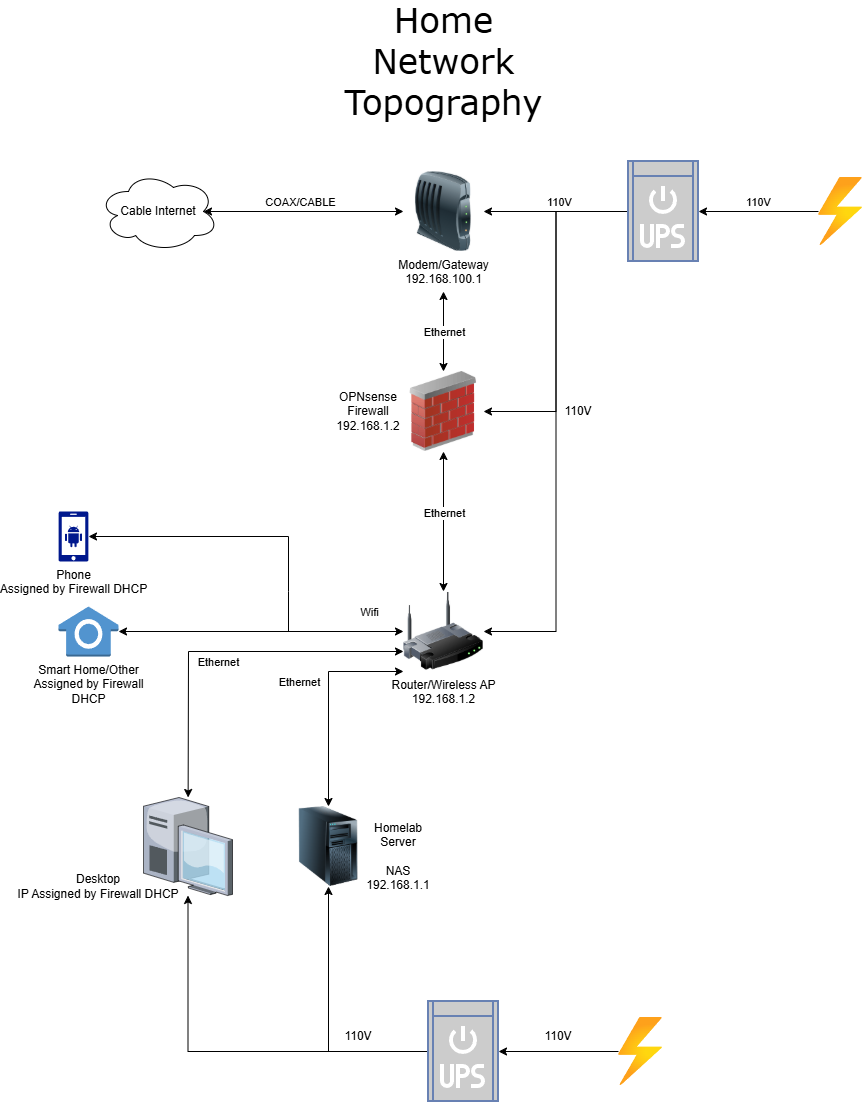
This design avoids double NAT, prevents competing DHCP servers, and makes troubleshooting easier by keeping routing + policy enforcement centralized on OPNsense.
Core Services on OPNsense
After confirming the cabling and edge placement were correct, I migrated core network services to OPNsense so the firewall controls addressing, name resolution, and traffic policy consistently across the network.
DHCP (Centralized Address Management)
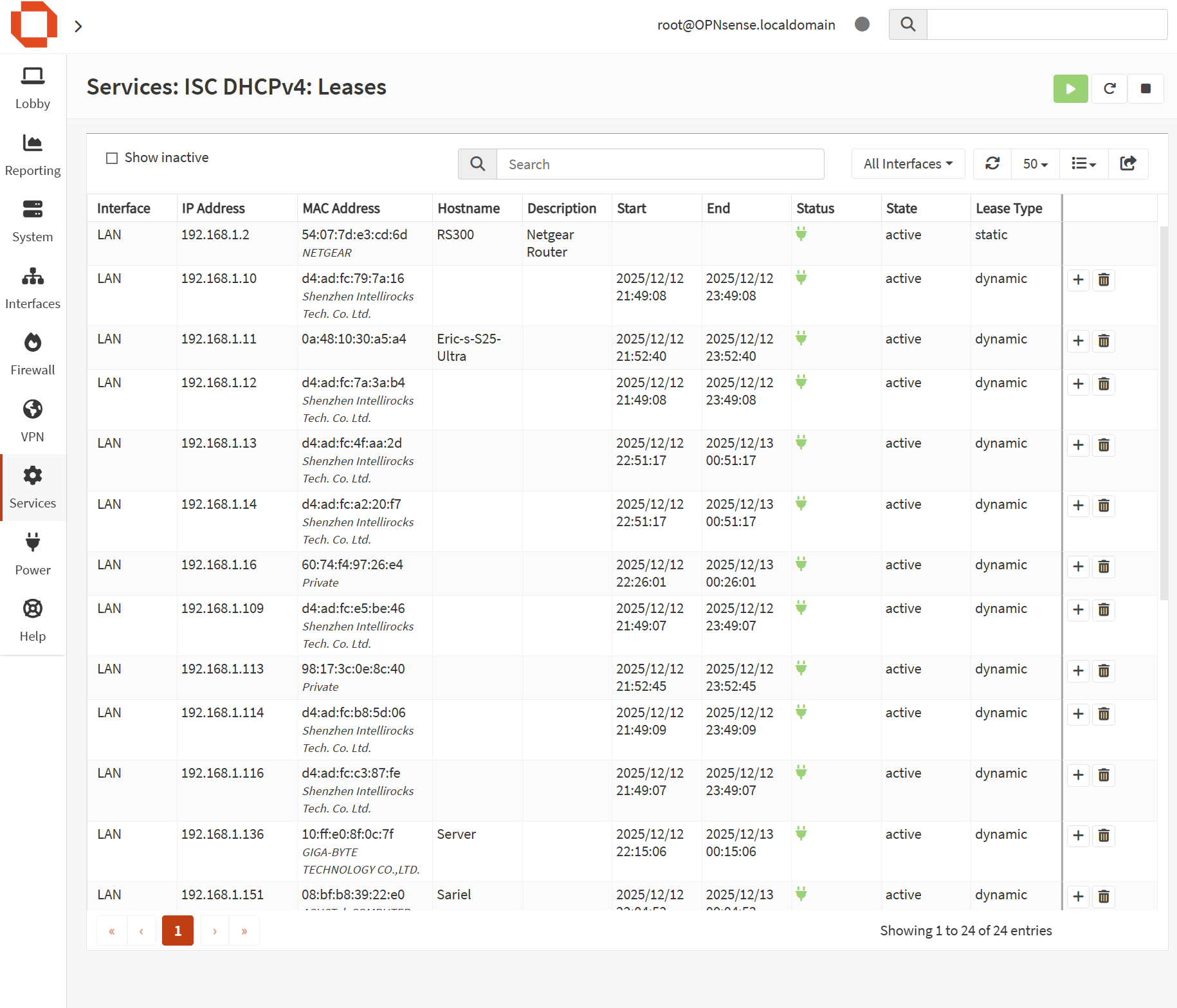
DHCP is handled by OPNsense on the LAN interface with a defined scope for client devices. Infrastructure devices (like the access point and homelab systems) use DHCP reservations to ensure stable management IPs without manually configuring static addresses on each device.
DNS (Local Resolution + Cleaner Management)
DNS is configured so clients resolve through the firewall, enabling better visibility and cleaner troubleshooting. This also supports future improvements like DNS filtering, internal hostnames, and policy-based DNS control.
Firewall Rules & Policies
OPNsense enforces firewall policy at the network boundary, allowing me to control which networks and devices can communicate, and to log/inspect traffic for security analysis. The baseline configuration prioritizes stability and visibility, with planned tightening as segmentation expands.
- Single enforcement point: All LAN traffic routes through OPNsense
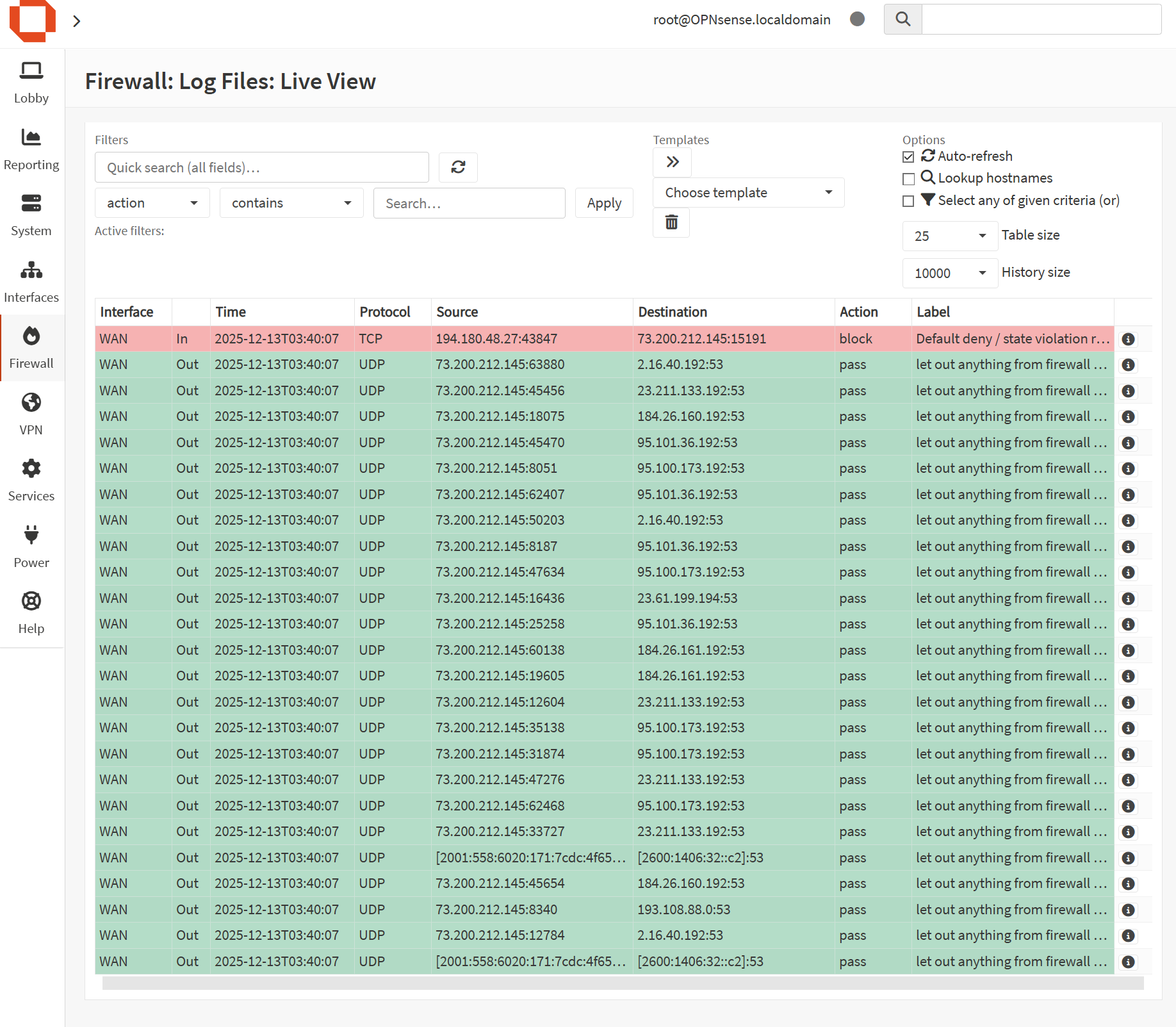
- Logging visibility: Firewall logs used to review blocks, scans, and noisy clients
- Clean topology: Eliminated conflicts caused by multiple DHCP/NAT services
- Future segmentation ready: VLAN structure planned for lab/IoT/guest isolation
Notes: As segmentation expands, rules will shift toward least-privilege (explicit allows between VLANs, default deny where appropriate).
Management Access: HTTP vs HTTPS
HTTPS enforcement on the firewall management interface was intentionally not enabled in this deployment. While HTTPS is generally recommended for web services, firewall management interfaces are treated differently due to their role as critical infrastructure devices.
Firewall availability and recoverability take priority over transport-level encryption. Enforcing HTTPS exclusively—especially when using self-signed certificates—can introduce lockout scenarios during certificate expiration, browser compatibility changes, time drift, or interface misconfiguration. In these cases, requiring HTTPS can prevent administrative access when it is most needed.
Management access to OPNsense is restricted to the trusted internal LAN and is not exposed to the WAN. Access control is enforced through network placement, interface binding, and authentication rather than relying solely on transport encryption. This approach aligns with real-world firewall best practices, where management access is protected by network policy and physical access controls.
HTTPS enforcement may be enabled in the future when management is isolated to a dedicated VLAN or accessed remotely via VPN with a trusted certificate authority in place.
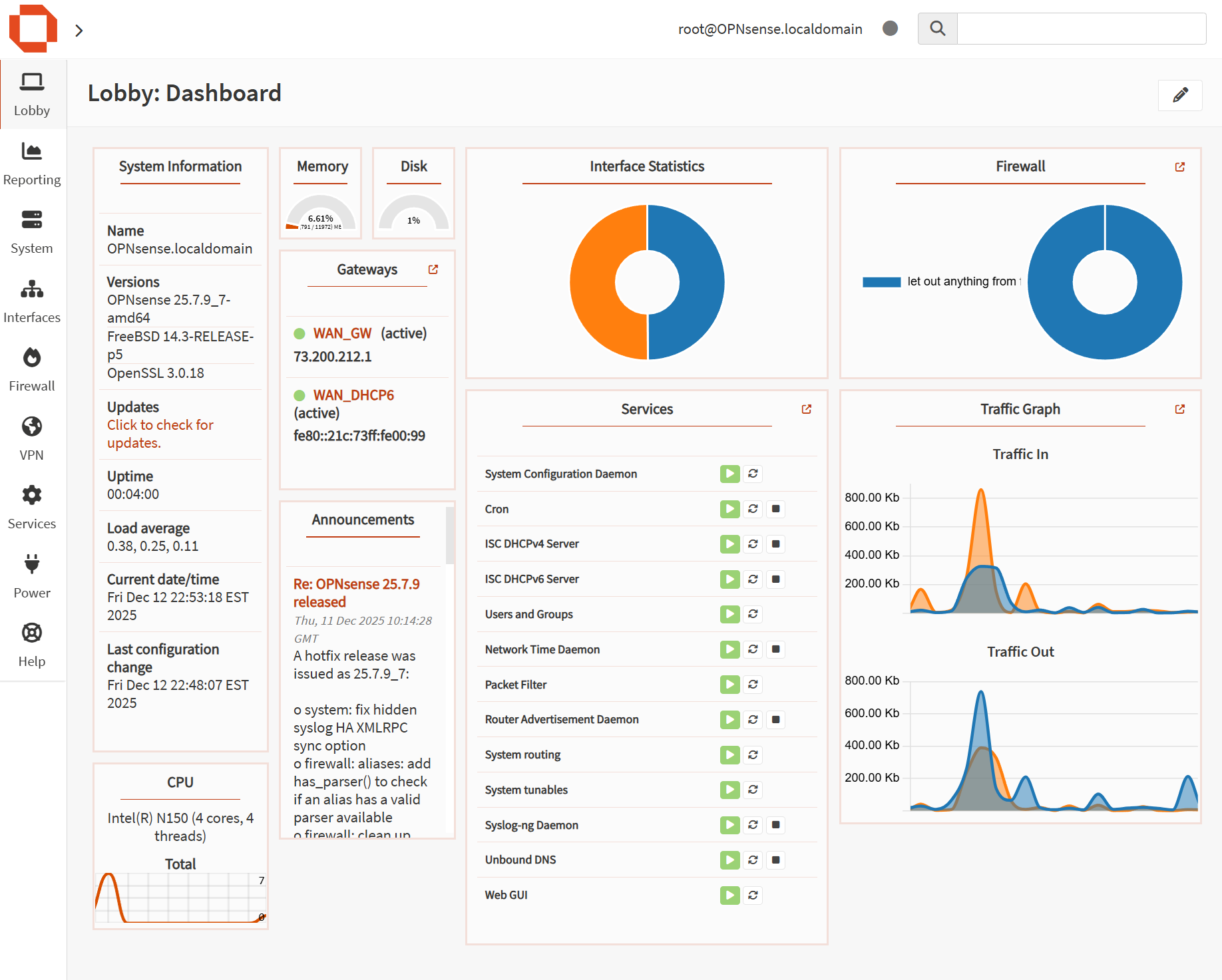
Screenshots & Diagrams
Store related images under /assets/computers/opnsense/. Click any image to open full size.
© Delaplaine Digital Solutions — All images on this page are copyrighted.
Future Improvements
- VLAN segmentation: Separate trusted LAN, lab, IoT, and guest Wi-Fi networks
- IDS/IPS: Enable Suricata in alert-first mode, then tune and harden
- DNS filtering: Add blocklists or integrate Pi-hole/AdGuard for network-wide filtering
- Remote access: VPN for secure access to internal services when off-site
- Monitoring: Centralize logs and build a small SOC-style monitoring workflow